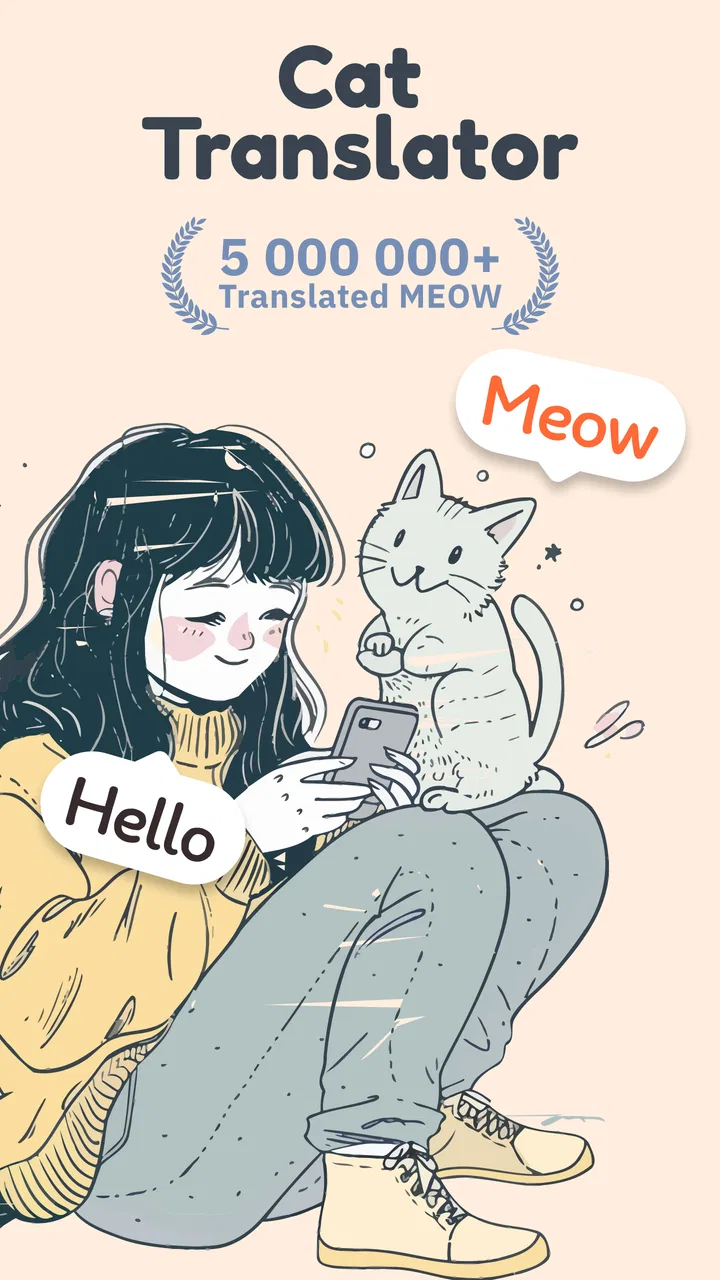
Cat Translator – Human to Pet
- 4.3
- Rating
- 1.00M
- Installs
- Free
- Price

 Analysis by App-foxy
I approached Cat Translator – Human to Pet as a bit of entertainment rather than a serious language tool, and that mindset makes a big difference. The app, developed by Artpoldev, is designed around the playful idea of translating human speech into cat-like communication and interpreting a cat’s response. It is the sort of app you open when your cat is staring at you from the sofa, when friends are visiting, or when you want a quick laugh during a quiet moment.
My first impression was that its appeal depends less on precise translation and more on the interaction it creates. A real cat will not suddenly explain why it knocked something off a shelf, so the fun comes from pairing the app’s output with the animal’s expression and behavior. That makes it a better fit for casual entertainment than for anyone expecting a dependable communication system.
How the playful translation experience works in everyday use
The central idea is simple enough for anyone to understand immediately: speak toward the phone, use the app as a playful bridge between human and pet communication, and watch what happens next. I like that this concept does not require a long learning period. You do not need to study menus or understand a complicated system before trying it with your cat.
You May Also Like

 Google Keep - Notes and lists
Google Keep’s Quiet Growth Shows the Appeal of Simpler Notes
As mobile work gets busier, Google Keep keeps winning a simple contest: capture a thought quickly, find it later, and get on with the day.

 Blood Strike: 2.5 Anniversary
Blood Strike’s Loadouts Turn Every Drop Into a Tactical Gamble
A close look at Blood Strike’s custom loadouts: how fast access to signature weapons reshapes its battle royale rhythm, rewards preparation, and narrows the gap between fights.

 Pandora - Music & Podcasts
Pandora’s Music Is Easy to Start, but Harder to Recover
Pandora’s strength is its low-effort path from a seed to a station. Its weak spot is how much confidence it asks you to place in connection, setup, and quiet recovery.

 8 Ball Pool
 Is Built on Rivalries, Rematches, and Routine
A close look at the rivalries, rematches, shared routines, and unanswered safety questions that turn a quick pool match into a persistent mobile community.

 Samsung Music
’s Quiet Strength Is Playing What You Already Own
Its reach comes less from spectacle than from dependable access to a personal library. That simplicity is both the app’s strongest retention engine and its ceiling.

 AccuWeather: Weather Radar
AccuWeather Review: A Quick, Clear Forecast for Everyday Decisions
For everyday plans, the best forecast is the one you can understand quickly. AccuWeather makes rain timing, radar, and local conditions easy to act on, with a few trade-offs.
More From Our News Desk



That simplicity is also why the app works well in social situations. If a friend comes over and your cat is hiding under a chair, taking turns with the phone can become an easy conversation starter. With children, it can encourage observation: instead of only pressing buttons, they may start noticing whether the cat’s ears, tail, posture, or attention changes after a sound is played.
The important distinction is between playful pet interaction and genuine animal interpretation. I would not use the results to decide whether a cat is sick, frightened, hungry, or in pain. A cat’s body language and normal routine are much more useful for those questions. The app adds a humorous layer to those moments, but it should not replace careful attention or veterinary advice.
One useful habit is to treat each session like a small experiment. Try the same phrase at a calm time, then compare the cat’s reaction with what happens when the room is noisy or the animal is already excited. This does not prove that a translation is accurate, but it helps prevent the common mistake of assuming every meow or movement is a direct answer to the phone.
Why the network can shape the moment
Connectivity matters because translation-style entertainment often feels most spontaneous when the app can respond without interruption. In practice, I would open it before starting a longer interaction rather than waiting until a room full of people is already watching. A weak connection can turn a funny pause into an awkward one, especially when the whole point is an immediate reaction.
This is particularly noticeable when using the app outside the home. At a friend’s house, in a shared building, or in a garden, the phone may move between different network conditions. I would avoid assuming that every part of the experience behaves identically when connectivity changes. If a response takes longer than expected, repeating the same request several times can make the session feel less natural.
My practical approach is to test it briefly before presenting it as entertainment. Open the app, try one short interaction, and make sure the relevant screen responds normally. That small check is more useful than discovering a delay while everyone is waiting for the cat’s “answer.”
There is also a social side to network dependence. When the app is used as a group activity, people tend to speak more loudly, repeat themselves, and pass the phone around. That creates extra noise and makes it harder to judge what caused the cat’s reaction. I get better results when one person handles the phone while another watches the animal from a comfortable distance.
Using it on a phone without making the cat uncomfortable
The mobile format is a natural match for this kind of app. Your phone is already nearby when a cat suddenly jumps onto a chair or starts vocalizing from another room. I found the most enjoyable sessions were short and informal rather than carefully staged. A quick attempt during a quiet afternoon feels more believable as entertainment than repeatedly trying to force a reaction.
Keep the phone at a reasonable distance from the animal. Cats can be sensitive to sudden sounds, bright screens, and a device being pushed close to their face. I would never chase a nervous cat with the phone or use the app to disturb an animal that is sleeping, eating, hiding, or showing signs of stress.
The app is also easier to enjoy when the surroundings are controlled. A television, vacuum cleaner, children playing, or several people speaking at once can overwhelm the moment. If you want to see whether your cat pays attention, choose a calm room and let the animal decide whether to approach. The goal is to create an amusing interaction, not to demand a performance.
For travel, the main advantage is convenience: the app is already on a device you carry. That makes it more accessible than bringing a separate toy or activity. The trade-off is that the phone’s battery, speaker volume, and network conditions become part of the experience. I would keep the volume moderate and avoid making it the only activity available to a pet during a long trip.
It can also be useful for people who are thinking about adopting a cat and want a light way to learn more about feline behavior. The app itself should not be treated as a training course, but using it alongside observation may encourage better questions: Is the cat responding to the sound, to my movement, or simply to a change in the room?
What happens when a session does not go smoothly
Everyday app use rarely happens under perfect conditions. A cat may ignore the phone completely, a spoken phrase may not produce the result you expected, or the interaction may lose momentum. I consider that part of the experience rather than a defect that can always be solved. Cats are independent, and no translation effect can guarantee cooperation.
When something feels stuck, I would start with the basics: stop the current attempt, check that the phone is responding, and try one short interaction instead of repeatedly tapping or speaking. If the response remains slow, moving to a place with a stronger connection may help. If the cat is becoming restless, the best recovery is to end the session rather than keep testing.
A useful fallback is to turn the failed attempt into observation time. Watch what the cat was doing before the app was opened, then compare that behavior with the reaction to the phone. This helps separate the app’s entertainment value from the animal’s natural mood. Sometimes the funniest outcome is simply that the cat looks at you once and walks away.
I would also avoid using a single disappointing session as a final verdict. The animal’s age, personality, familiarity with phones, and the noise level in the room all matter. At the same time, repeated indifference is meaningful: if your cat consistently avoids the activity, there is no reason to force it. The app should remain optional fun, not a test the pet has to pass.
Using it carefully when mobile data matters
Because this is a phone-based entertainment app, I would be mindful of how and where I use it, especially when relying on mobile data. A short trial at home is a sensible starting point. If you plan to use it during a visit, at an outdoor gathering, or while traveling, check your normal data settings and avoid assuming that every session has the same network cost or behavior.
I also prefer using it in brief bursts instead of leaving it open while the cat wanders around. That is better for attention, battery habits, and the animal’s comfort. It keeps the app in its proper role: a small activity you choose when the moment is right, not a background tool running throughout the day.
Privacy-conscious users should make their own comfort decision before speaking personal conversations near any app that responds to audio. I would use short, harmless phrases and avoid discussing sensitive information while testing a voice-based interaction. That is a sensible phone habit regardless of whether the app is being used seriously or just for a joke.
The free entry point makes it easy to try without committing money at the start. However, optional purchases range from $0.99 to $49.99 per item, so I would pay attention before confirming anything. The app is free to download, but “free” does not mean every possible part of the experience is necessarily included without a purchase. For a casual cat joke, I would begin with the no-cost experience and only consider spending if I understood exactly what an extra item added.
Who will enjoy it, and who should choose something else
With a 4.4 average from around 138 thousand ratings and more than one million installs, the app has clearly found an audience among people who enjoy the concept. Those figures suggest broad interest, but they do not change what the app is: a light entertainment experience built around the fantasy of talking with a cat.
I would recommend it to cat owners who enjoy silly experiments, families looking for a quick shared activity, and anyone who likes turning ordinary pet behavior into a playful story. It is especially suitable when expectations are modest. If your goal is to laugh at your cat’s reaction, the app has a clear purpose.
I would skip it if you need reliable animal communication, behavioral diagnosis, or professional training guidance. A dedicated pet-care resource, a qualified behaviorist, or a veterinarian is a better choice for those needs. Likewise, people who dislike novelty sound effects or who expect every spoken phrase to receive an exact, meaningful answer may find the concept frustrating.
Compared with ordinary entertainment apps, this one has a narrower but more personal appeal. A video app can entertain you without involving an animal, while a standard pet game may offer a clearer activity for the cat itself. This app sits between those options: the human usually gets the joke, and the cat may or may not participate. That uncertainty is part of its charm, but also its biggest limitation.
Small habits that make the experience better
First, I would choose timing over persistence. Try it when the cat is alert but relaxed, not when it is already overstimulated. Second, keep one person focused on the animal and another on the phone during group use. That makes it easier to notice genuine body-language changes instead of confusing a reaction to movement with a reaction to sound.
Third, vary the setting carefully. A quiet room gives you a cleaner impression than a crowded one, while a familiar location may make the cat more willing to approach. Fourth, stop after a few unsuccessful attempts. The app is more enjoyable when it remains a spontaneous invitation rather than a repeated demand.
Finally, use the app as a prompt to learn your own cat’s signals. If a translation-style result appears amusing, compare it with the animal’s posture and routine before accepting the joke as an explanation. That extra step turns a novelty app into a small exercise in responsible pet observation.
Compatibility, cost, and the overall fit
The current version is 8.1, and it runs on devices using Android 8.0 or later. That makes it accessible to many older Android phones, although the quality of the experience will still depend on the individual device, its speaker, microphone, screen, and connection. I would check the phone before a planned group activity rather than assuming an older handset will behave exactly like a newer one.
The Everyone age rating matches the app’s lighthearted subject, but younger users should still have an adult nearby when purchases are possible. This is less about the cat-translator idea itself and more about making sure a child does not confirm an unwanted item while experimenting with the phone.
Released on August 28, 2024, it feels aimed at the current habit of using a phone as an instant source of playful interaction. The developer is Artpoldev, and the app belongs most naturally in the entertainment category rather than education, pet health, or serious translation. That classification is important because it sets the right expectations before installation.
My final view is favorable, with a clear condition: enjoy it for the joke, not for scientific accuracy. Connectivity can influence how smoothly a session unfolds, mobile surroundings can affect the cat’s response, and optional purchases mean I would keep an eye on the payment flow. Still, when used briefly and respectfully, it offers an easy way to add humor to an ordinary moment with a pet.
Cat Translator – Human to Pet is worth trying if you want a free, simple entertainment app that gives your cat a starring role. I would keep it installed for occasional laughs, use it in calm settings, and put the phone away whenever the animal seems uninterested. If you want dependable answers about feline behavior, choose a professional source instead; if you want a playful conversation starter that works best when nobody takes it too seriously, this app is a reasonable pick.
FAQs for Cat Translator – Human to Pet
01How does Cat Translator – Human to Pet work?
Cat Translator – Human to Pet uses a combination of sound analysis and simulated cat language to translate your voice into meows that your cat might understand. While it’s designed for fun and entertainment, the app analyzes your speech patterns and converts them into various meow sounds to engage your feline friend.
02Is Cat Translator – Human to Pet scientifically accurate?
While the app provides a fun way to interact with your cat, it is not scientifically proven to accurately translate human language into cat language. Cats use a complex set of vocalizations and body language that the app mimics for entertainment purposes, rather than actual communication.
03What features does Cat Translator – Human to Pet offer?
The app includes a variety of features such as different meow translations, a collection of cat sounds to engage with your pet, and a user-friendly interface. It also allows you to record your voice and choose from multiple translations to see which one your cat responds to best.
04Is Cat Translator – Human to Pet safe for my cat?
Yes, the app is safe for your cat as it only plays pre-recorded cat sounds at a volume that is comfortable for pets. It’s important to monitor your cat’s reaction and discontinue use if your pet seems stressed or uncomfortable with the sounds being played.
05Can Cat Translator – Human to Pet be used offline?
Yes, Cat Translator – Human to Pet can be used offline. Once downloaded, the app does not require an internet connection to function, allowing you to use it anytime and anywhere to entertain your cat without worrying about data usage.
Pros
- Easy-to-use interface for quick translations.
- Fun and engaging for cat lovers.
- Wide variety of sound options for interaction.
- Improves bonding moments with your pet.
- Regular updates with new features.
Cons
- Limited functionality beyond entertainment.
- May not work with all cat personalities.
- Requires internet for some features.
- Contains ads that interrupt usage.
- Some translations may be inaccurate.

Cat Translator – Human to Pet
Gallery